Foreword
Ads for a GPU VPS usually lead with one number: the hourly rate of the card. That number is real, but it is rarely the whole bill. Storage, bandwidth, and idle time all sit behind it, and any of them can change the total more than the card itself. If you only compare card prices, you can end up paying far more than you planned. Let’s walk through the costs that hide behind the headline rate.
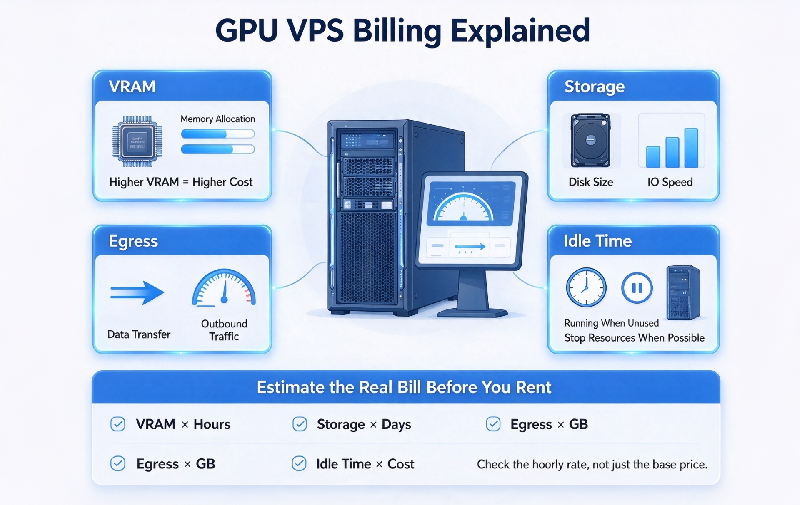
1. VRAM: The Real Price Setter
Two cards of the same generation can rent at very different rates, and VRAM is usually why. Model weights have to fit in VRAM, so bigger models demand bigger memory. Match the card to your model size first, and only then compare prices. If you are not sure whether a GPU VPS is even the right tool for the job, I covered that choice in CPU vs GPU VPS: Which One Should You Rent for Your Project?
2. Storage: Model Weights Are Huge
A single fine-tuned checkpoint can weigh tens of gigabytes, and datasets add more on top. Storage is billed per GB per month, and it keeps billing even when your instance is stopped. Two habits keep this line small: delete failed experiment outputs early, and keep one canonical copy of each model instead of five.
3. Egress: The Quiet Multiplier
Every inference response leaves the server, and model downloads cross the wire too. Egress pricing varies a lot between providers — some plans include a generous quota, others charge per GB. For image or video generation workloads, output bandwidth can rival the card itself in cost. Check the egress rate before you rent, not after the first invoice.
4. Idle Time: Paying for Hours Nobody Uses
Hourly billing sounds fair until you forget to stop the instance. A card sitting idle overnight still bills every hour. Set auto-stop rules for development machines, and check whether snapshots keep billing after shutdown. Monthly billing wins only when utilization stays high — for a test instance, hourly billing with discipline is the better deal.
5. Estimate the Real Bill Before You Rent
Start with the hourly card rate. Add storage: model size plus datasets, times the per-GB rate. Add expected egress in GB, then leave a buffer — there is always a forgotten checkpoint.
Here is an illustration: a card at one dollar per hour, running eight hours a day, costs about 240 dollars a month. Storage and egress decide whether the real total lands at 260 or 400. That spread is the part worth estimating in advance.
My own pick runs on VMRack’s self-built data center at Equinix LA4 in Los Angeles. Their GPU rental comes with many card types, which suits small and mid-sized teams for inference and training, and the line items are easy to read.
Conclusion
The card rate is the headline, not the bill. VRAM decides which card you need; storage, egress, and idle time decide what you actually pay. Get the full price sheet before you rent.
Thank you very much for reading to the end!