Introduction
A single NVIDIA H100 card sells for tens of thousands of dollars — and serious AI work usually needs more than one. For most teams and independent developers, buying GPUs outright doesn’t make sense: huge upfront cost, fast depreciation, ongoing maintenance, and the risk that next year’s models make your hardware obsolete. That’s exactly the problem GPU rental solves. In our previous article, “CPU vs GPU VPS: Which One Should You Rent for Your Project?”, we compared CPU and GPU servers at the selection level; this article zooms in on the GPU side — what GPU rental actually is, what it’s used for, and which business scenarios it fits best, with VMRack’s GPU rental lineup as a concrete example.
What Is GPU Rental?
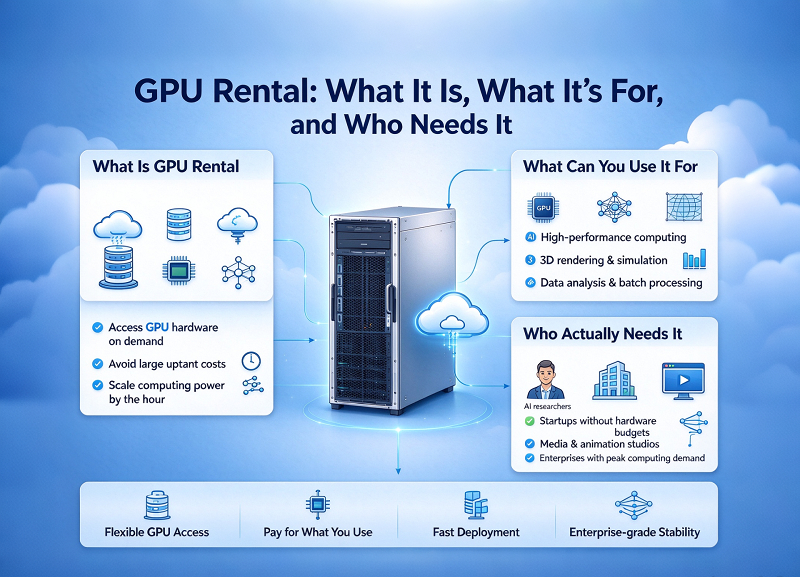
GPU rental means renting GPU computing power from a provider’s data center — by the hour or by the month — instead of buying physical cards and running them yourself. You get a machine (or a bare-metal server) with one or more GPUs attached, along with the CPU, memory, storage, and network that keep them fed. The provider handles the hardware, cooling, and maintenance; you connect remotely and use it like your own machine.
It follows the same “rent instead of buy” logic as regular cloud servers, which is why the service is often described as GPU cloud computing or GPU as a Service (GaaS). Billing is usually flexible: on-demand hourly rates for short experiments, monthly plans for long-running workloads, and dedicated multi-GPU or whole-machine options for heavy jobs.
Compared with buying your own cards, the trade-offs are clear:
No upfront capital expenditure — you pay for what you use;
No depreciation or resale headaches — hardware ages on the provider’s books, not yours;
Scale up or down on demand — rent a single card today, a cluster next month;
Access to the latest generation — upgrading means switching plans, not shopping for new cards.
What Can You Use It For?
Workloads that actually need GPUs share one thing: massive amounts of parallel math. In practice, that means four big families:
Model training and fine-tuning. The classic use case. Training or fine-tuning language models and diffusion models is the most GPU-hungry work there is.
AI inference and serving. Once a model is trained, serving it to real users still takes GPU power. This is where most long-term GPU spending ends up, and where AI GPU rental becomes a steady operational cost rather than a one-off experiment. (The server-sizing side of deploying open-source models is covered in our guide on deploying DeepSeek.)
Content generation. AI image and video generation, upscaling, transcription — creators run these as recurring jobs, not one-time projects.
Scientific computing and rendering. Simulations, molecular dynamics, 3D rendering — the pre-AI uses that still fill GPU clusters every day.
Who Actually Needs It?
AI startups: prototype on a rented single card, then scale to multi-GPU setups when the product takes off — no capital locked up in hardware.
Independent developers and learners: hourly billing makes it possible to fine-tune a small model for a few dollars, instead of buying a card that costs more than the laptop it would plug into.
Content creators: batch-generate images or video on a rented GPU when there’s work, release it when there isn’t.
Research teams: compute demand spikes around paper deadlines; renting matches the cost curve to the workload curve.
A Concrete Example: VMRack’s GPU Rental
VMRack’s GPU rental lineup spans five cards, from the mature H100 to the next-generation B300 flagship:
How to read this table:
Just getting started with training or fine-tuning? A single H100 is the classic entry point — a mature ecosystem, plenty of guides, and single-card rental keeps the bill predictable.
Working with long contexts or models that eat memory? H200’s larger memory pool is built exactly for that.
Building for the newest generation of models, multimodal pipelines, or high-concurrency inference? The Blackwell line (B100/B200) is where to look, with multi-GPU and cluster options when one card isn’t enough.
Planning for AI-cluster scale? B300 whole-machine and cluster options are the flagship path.
One honest note: don’t rent more GPU than your workload needs. The flexibility of renting exists precisely so you can start small — a single H100 for a week of experiments tells you more about your needs than any spec sheet, and scaling up later is a plan change, not a purchase order.
Conclusion
GPU rental turns one of the most expensive purchases in computing into a predictable operational cost: rent data-center GPUs by the hour or month, use them for everything from training and fine-tuning to inference, content generation, and research — and hand them back when you’re done. For startups, independent developers, creators, and research teams alike, it keeps what you pay aligned with what you actually use. If you’re wondering where to start, VMRack’s lineup — from the entry-level H100 to the B300 flagship — covers the full range, and a single card is all it takes to begin.
Thank you for reading to the end!